
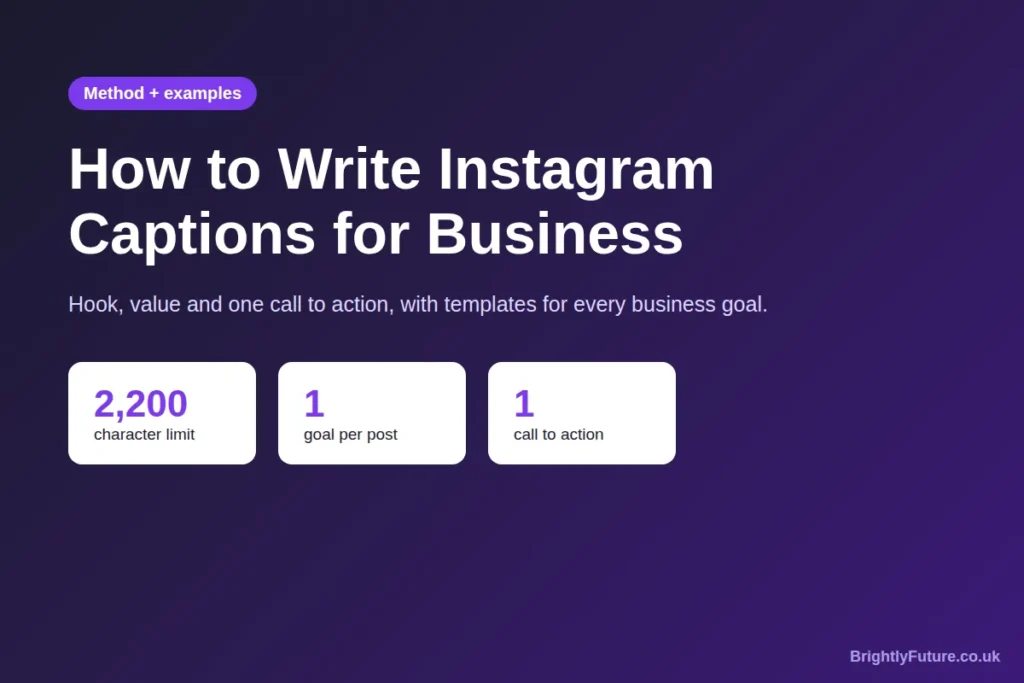
To write Instagram captions for business, decide what the post should achieve, open with a first line that stops the scroll, give one useful idea, and end with one clear call to action. Use line breaks, up to five relevant hashtags, and words your customers would search for.
Most business captions fail for the same reason: they describe the photo instead of giving people a reason to stop, read and act. “New stock in! 😍 #fashion #shopsmall” tells a scroller nothing they couldn’t see for themselves.
This guide gives you a simple method you can use for every post, templates for each business goal, examples for different types of business, and a way to check whether your captions are working. If you’re new to social media marketing as a whole, start with our social media marketing guide and come back here for the captions.
What makes a good Instagram caption for business?
A good business caption does four jobs: it stops the scroll with its first line, gives the reader something useful or interesting, sounds like your brand, and asks for one specific action. If a caption does all four, its length and style matter far less.
Think of the image or video as the reason someone pauses, and the caption as the reason they act. The photo shows your new coffee blend; the caption tells them why it’s different, when they can try it and what to do next.
How do you write an Instagram caption for business?
Write every caption in six steps: set the goal, match your brand voice, write the first line, add the value, end with one call to action, and format it for skimming. The same method works for a bakery, a consultant or an online shop.

Step 1: Start with the goal of the post
Before you write a word, decide what this one post should do: make new people aware of you, start a conversation, send people to your website, or sell something. A caption trying to do all four does none of them well. The next section gives a template for each goal.
Step 2: Decide how your brand sounds
Pick three words that describe how your business talks, such as “warm, practical, local” for a café or “clear, expert, direct” for an accountant. Write them down and check every caption against them.
A few rules make a voice consistent:
- Choose “I” or “we” and stick to it. A sole trader writing “we” can sound like a faceless company.
- Decide on emojis once. None, a few, or plenty; switching from post to post looks careless.
- Keep a short list of words you never use. For many brands, that includes jargon customers don’t say.
Voice also depends on who you sell to. A B2B firm selling to other businesses can be more formal and data-led; a local shop or consumer brand can be more casual. Both should still sound like people, not press releases.
Step 3: Write the first line (the hook)
Instagram shows only the start of a caption in the feed, so the first line has to work on its own. It should make the reader want to tap “more” or watch to the end.
Six hooks that work for businesses:
| Hook type | Example |
| A question | “Still paying for a gym you never use?” |
| A number | “3 things we check before every boiler service.” |
| A surprising claim | “The most expensive candle we sell isn’t our best seller.” |
| A result | “This client cut her admin time in half. Here’s what changed.” |
| A mistake | “Most people wash their hair too often. Here’s how to tell.” |
| A short story | “At 7am on Saturday, the oven broke.” |
Avoid openers that only describe the image (“Here’s our new product!”). The picture already did that.
Step 4: Give the value
After the hook, deliver one useful idea: a tip, a short story, a behind-the-scenes detail, or proof that what you sell works. One idea per caption is enough. If you have three tips, that’s a carousel or three posts.
Step 5: End with one call to action
Ask for one thing, and make it easy. Several requests at once (“like, comment, share and visit our site!”) usually get none of them.
| Goal | Call to action example |
| Awareness | “Follow for a new money-saving tip every Tuesday.” |
| Engagement | “Which one would you pick: A or B? Tell us below.” |
| Saves | “Save this for your next shop.” |
| Traffic | “Full recipe at the link in our bio.” |
| Sales | “Send us ‘BOOK’ in a DM and we’ll send you this week’s slots.” |
Links typed into a caption aren’t clickable, so point people to the link in your bio or a DM instead.
Step 6: Format it for skimming
- Use short paragraphs and line breaks. A wall of text on a phone screen gets skipped.
- Use emojis to support the words, not replace them. Screen readers read emojis aloud, so a line of six emojis is noise for some readers.
- Use up to five hashtags. Instagram now limits posts and Reels to five hashtags, so pick ones that describe the post accurately. Our Hashtag Generator helps you find relevant ones.
What should you write for each business goal?
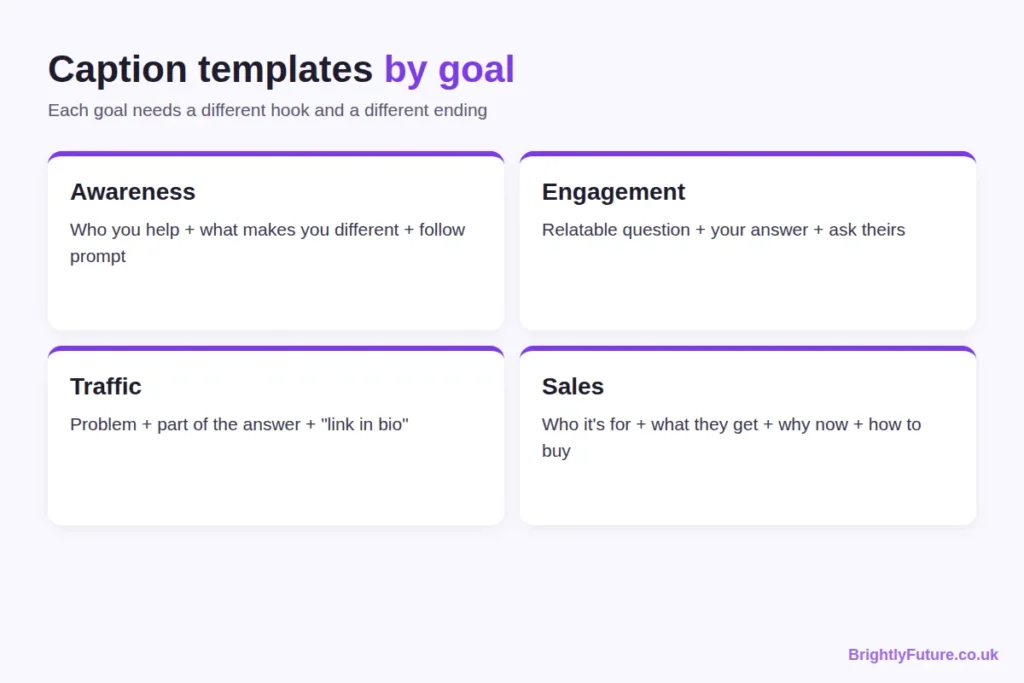
Match the caption to the one goal you set in step 1. Each goal needs a different hook and a different ending.
Awareness: introduce yourself to new people
Template: [Who you help] + [one thing that makes you different] + [follow prompt].
Example: “We’re a two-person bakery in Leeds that only bakes what sells out by noon. No waste, no day-old bread. Follow to see tomorrow’s bake.”
Engagement: start a conversation
Template: [Relatable question or choice] + [your own answer] + [ask theirs].
Example: “Tea or coffee for a 7am start? I’m a two-coffee person on Mondays. What gets you through the morning?”
Traffic: send people to your website or blog
Template: [Problem] + [part of the answer] + [where to get the rest].
Example: “Your blog posts get views but no comments? It’s usually the ending. I’ve broken down the five closing lines I use in a new post. Link in bio.”
Sales: turn interest into orders or bookings
Template: [Who it’s for] + [what they get] + [why now] + [how to buy].
Example: “For anyone who’s put off a haircut since summer: we’ve opened Thursday evening slots this month. Send ‘THURS’ in a DM to book yours.”
All four examples are illustrations written for this guide, not real campaigns. Change the details to fit your business.
How long should an Instagram caption be?
As long as the post needs, up to Instagram’s limit of 2,200 characters, which Meta lists in its developer documentation. What matters more is the first line, because the feed shows only the opening of the caption until someone taps “more”.
You’ll often see “125 characters” quoted as the cut-off point. Treat it as a rough guide: it isn’t an official Instagram figure, and the cut-off varies by device and post type. Writing a first line that stands on its own solves the problem whatever the exact number.
| Write short (one to three lines) when… | Write longer when… |
| The image or video says it all | You’re telling a story or explaining a process |
| It’s a Reel people watch, not read | It’s a carousel of tips that needs context |
| It’s an announcement or reminder | You’re answering a question customers often ask |
What does a good business caption look like?
A good caption sounds like a person, is specific about one thing, and ends with an easy next step. The difference shows best side by side.
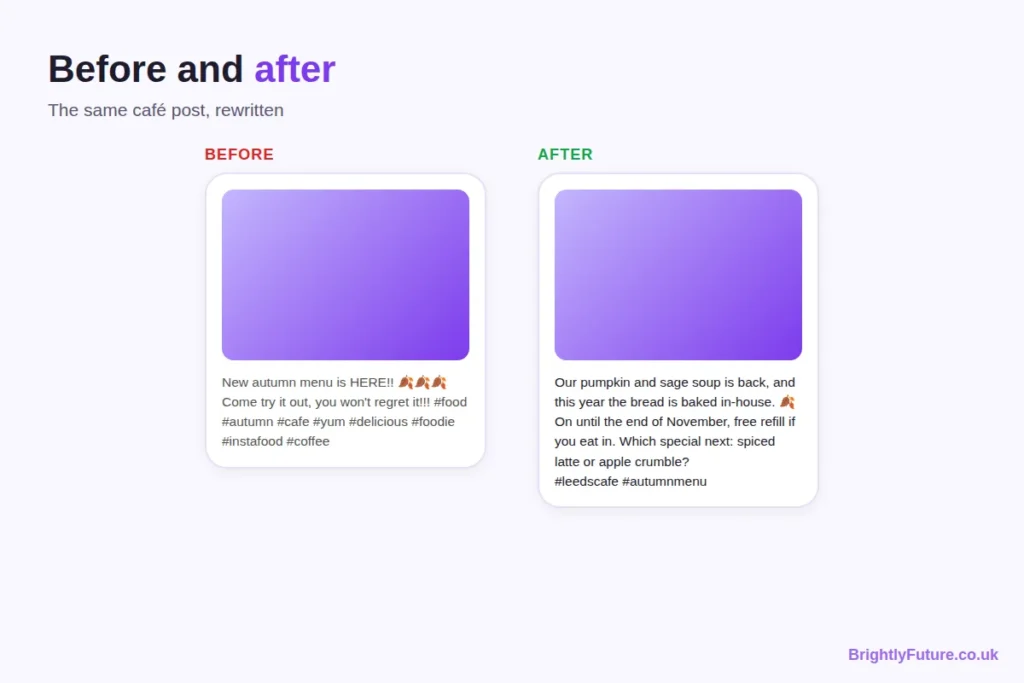
Before: “New autumn menu is HERE!! 🍂🍂🍂 Come try it out, you won’t regret it!!! #food #autumn #cafe #yum #delicious #foodie #instafood #coffee”
After: “Our pumpkin and sage soup is back, and this year the bread is baked in-house. 🍂
>
It’s on from today until the end of November, with a free refill if you’re eating in.
>
Which autumn special should we add next: a spiced latte or apple crumble?
>
#leedscafe #autumnmenu #souplover”
What changed:
- The first line names the product and one new detail, instead of shouting.
- The middle gives facts people need: what, how long, and a reason to come in.
- The ending asks an easy question, which invites comments.
- The hashtags drop from eight to three, and each describes the post.
Short examples for other types of business:
- Online shop: “This mug survived 400 dishwasher cycles in our test kitchen. The colour didn’t fade once. Restocked today, link in bio.”
- Salon: “Curly hair frizzing in the rain? Two things to try before your next wash. (Save this for wet days.)”
- Consultant or service business: “The question I’m asked most by new clients: ‘Do I need a business plan before I start?’ My honest answer is below.”
- Blogger: “I tested three free AI caption tools on the same photo. One was useful. Full results on the blog, link in bio.”
These are example captions to adapt, not posts from real accounts.
How do captions differ for Reels, carousels and single images?
The format changes what the caption needs to do. On a Reel, the video carries the message, so the caption can be short. On a carousel, the caption sets up the slides. On a single image, the caption often does most of the explaining.
| Format | What the caption should do | Good length |
| Reel | Add context the video doesn’t show, plus one call to action | One to three lines |
| Carousel | Tell people why to swipe, and what they’ll learn by the last slide | Short to medium |
| Single image | Explain, tell the story or give the tip | Medium to long |
For Reels, also add on-screen text in the first seconds, so the point comes across even with the sound off.
How do you make captions help people find you on Instagram and Google?
Use the words your customers type when they search. Instagram says its search tries to match what people type with usernames, bios, captions, hashtags and places, as Hootsuite reports from Instagram’s guidance, so a caption that says “vegan bakery in Leeds” is easier to find than one that says “treat yourself 😍”.
Captions can also reach people outside the app. Since July 2025, public posts from Instagram business and creator accounts can appear in Google and Bing results, according to Metricool. The caption is the text search engines read, so a clear description of what’s in the post helps there too.
Three habits:
- Name the thing. “Handmade oak dining table” beats “Our latest piece ✨”.
- Add your location if you serve a local area.
- Write alt text for images. Instagram lets you add your own description in the post’s advanced settings before or after posting, as its Help Centre explains. It helps people using screen readers and gives Instagram more context about the image.
How do you write captions faster without running out of ideas?
Write in batches from a list of your customers’ real questions, and turn each idea into more than one post. Most writer’s block comes from starting from nothing every day.
- Keep a question list. Every question a customer asks in person, by email or in comments is a caption.
- Batch once a week. Write all of next week’s captions in one sitting, so you’re in a writing frame of mind instead of switching tasks every day.
- Use a set of caption ideas when you’re stuck. Behind the scenes, how a product is made, a customer’s question answered, a common myth corrected, a team member introduced, a seasonal or local event, a before-and-after, or a customer’s own photo reshared with their permission and credit.
- Turn one idea into three posts. A tip can be a carousel, a short Reel and a story-based caption from your own experience.
- Use AI for the first draft, not the final one. AI is useful when you’re stuck on a hook or need five versions of a call to action. Our free AI Caption Generator gives you drafts to start from. Then add the details only you know: your prices, your customers’ words, your real results. The editing steps in how to humanize AI content apply to captions too.
How do you know if a caption is working?
Check the numbers that match the post’s goal in Instagram Insights, not just likes. A caption is working if more people do the thing you asked for.
| Goal | Look at |
| Awareness | Reach and new followers from the post |
| Engagement | Comments, saves and shares |
| Traffic | Profile visits and link taps |
| Sales | DMs, enquiries and orders that mention the post |
To learn what works, change one thing at a time. For a month, try question hooks on half your posts and number hooks on the other half, then compare saves and comments. Changing the hook, length and call to action all at once tells you nothing about which change helped.
Frequently Asked Questions
Can you edit an Instagram caption after posting?
Yes. Open the post, tap the three dots, choose Edit, change the caption and tap Done. Editing is handy for fixing a typo or adding a missing detail, but people who have already read the post won’t see the change, so check the caption before you publish.
Should you use the same caption on Instagram and Facebook?
You can share a post to both, but the same caption rarely works equally well. Links in Facebook posts are clickable, so a Facebook caption can send people straight to your site, while the Instagram version needs to point to your bio or DMs. At minimum, change the call to action for each platform.
Should you tag other accounts in your caption?
Tag accounts when they’re genuinely part of the post: a supplier, a collaborator, a customer who gave permission, or a venue. It notifies them and can lead to a reshare. Tagging big accounts that have nothing to do with the post looks like spam and rarely gets a response.
Should hashtags go in the caption or the first comment?
Put them in the caption. Instagram’s search matches caption text, and with only five hashtags allowed there’s no long list to hide in a comment any more. Keeping them in the caption also keeps the post tidy if you edit it later.
Can a caption be just one word or an emoji?
Yes, for a strong image or a well-known brand, a one-word caption can work. For most small businesses it wastes the chance to explain, invite a comment or point people to the next step. Save very short captions for posts where the picture says everything.
Do you need to label sponsored or gifted posts?
Yes, if a post promotes something you were paid for, gifted or have a business link to, it must be clearly labelled as an ad. In the UK, the ASA and CMA’s influencer guidance covers this; in the US, the FTC’s Disclosures 101 says the same applies to free or discounted products. Put the label, such as “Ad”, at the start of the caption where people can’t miss it, and use Instagram’s paid partnership label as well, not instead.
Write your next caption this way
Pick the goal, write a first line that works alone, give one useful idea and finish with one easy call to action. Do that for your next ten posts, then check Insights to see which hooks and calls to action your audience responds to most.